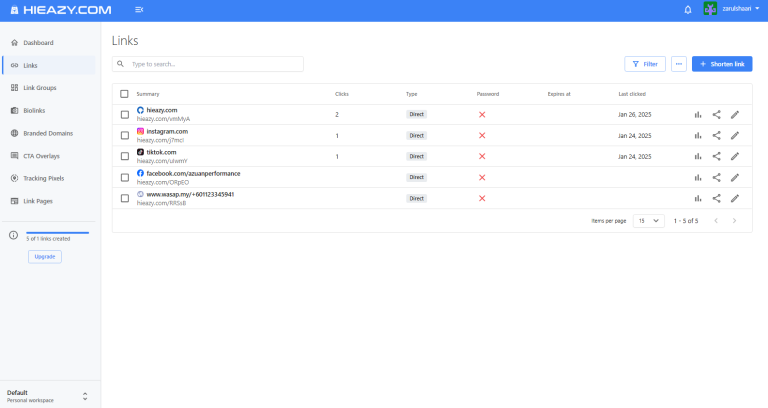
Link Rotator – Share One Link, Send Users to Different Destinations
In today’s digital marketing world, efficiently directing traffic is essential for businesses, affiliates, and advertisers. But what if you could share just one link and send users to multiple destinations automatically? That’s where a Link Rotator comes in – a powerful tool designed to distribute traffic smartly and maximize conversions.
What is a Link Rotator?
A Link Rotator is a tool that allows you to create a single URL that automatically redirects users to different destinations based on specific rules. Instead of managing multiple links, you only need one – the rotator handles the rest!
How Does a Link Rotator Work?
When users click on the rotator link, they are sent to different destinations based on:
- Even distribution (Round Robin) – Traffic is evenly split across multiple URLs.
- Weight-based routing – Certain URLs receive more traffic than others.
- Geolocation targeting – Users from different countries are sent to region-specific URLs.
- Device-based routing – Mobile users are directed to mobile-friendly pages.
- Time-based rotation – Links change based on specific times or days.
Why Use a Link Rotator?
A Link Rotator is incredibly useful for:
✅ Affiliate Marketing – Send users to different product pages based on their location or device. ✅ A/B Testing – Test multiple landing pages to determine which converts best. ✅ Traffic Distribution – Distribute traffic among multiple team members, partners, or campaigns. ✅ Marketing Campaigns – Run different promotions under one link. ✅ E-commerce – Redirect customers to various store pages based on availability or region.
Key Features of a Link Rotator
✔ Customizable Rules – Define redirection rules based on weight, device, location, and more. ✔ Real-time Analytics – Track clicks, conversions, and user behavior. ✔ Unlimited Destinations – Add as many URLs as needed. ✔ Smart Targeting – Ensure the right users land on the right pages. ✔ Easy Integration – Works seamlessly with marketing tools, CRMs, and websites.
How to Set Up a Link Rotator
1️⃣ Choose a Link Rotator Tool – Find a reliable service that offers advanced routing and tracking. 2️⃣ Add Destination URLs – Input all the URLs you want to rotate traffic between. 3️⃣ Set Rotation Rules – Select round-robin, weighted, or geo-targeted redirection. 4️⃣ Generate & Share Your Link – Use the rotator link in ads, emails, and social media. 5️⃣ Monitor & Optimize – Use analytics to refine your strategy for better results.
Boost Conversions with a Link Rotator
A Link Rotator is a must-have tool for anyone looking to optimize traffic distribution, improve conversions, and enhance user experience. Whether you’re an affiliate marketer, business owner, or advertiser, using a link rotator can make your campaigns smarter and more effective.
Get Started Today!
Ready to streamline your traffic management? Start using a Link Rotator today and maximize your results with minimal effort. Try it now and take your digital marketing to the next level!